
Steam Workshop QoL
SandPrints - In-Game Blueprint Database
Browse, import, and paste factory blueprint strings directly in-game on the Blueprints tab with zero alt-tabbing. Fully compatible with sandustry.quest blueprint strings.
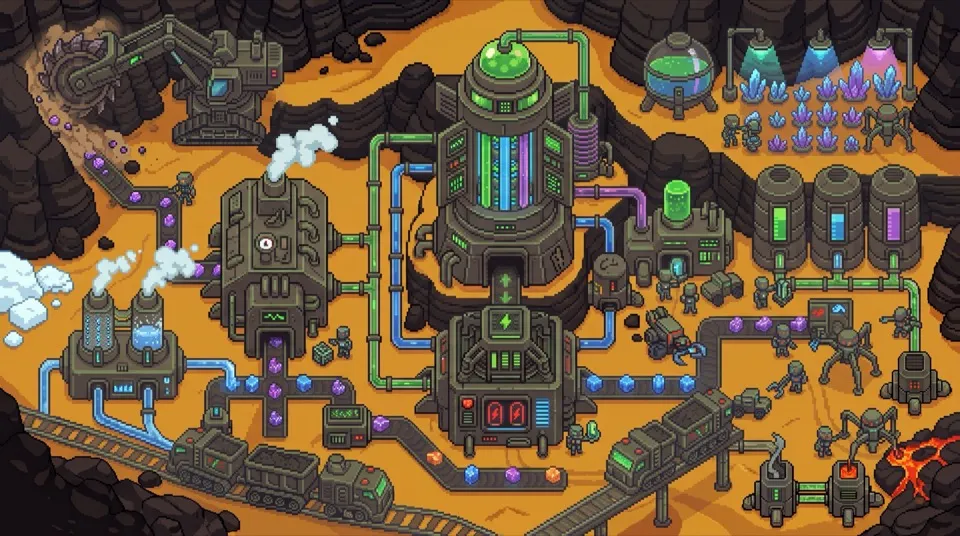
Modding & Tool Ecosystem
Enhance your factory with community tools, quality-of-life upgrades, and sandbox generators. Choose between official 1-click Steam Workshop subscriptions and community Fluxloader setups.
Quick Setup Answer
To use Steam Workshop mods in Sandustry (v0.5.5+), right-click Sandustry in your Steam Library → Properties → Betas → select the mods branch. Once updated, open the Steam Workshop tab to 1-click install essential mods like SandPrints (blueprint manager) and SandTogether (multiplayer co-op). For custom map loaders or DLL hooks, download Fluxloader and place mods in %USERPROFILE%/AppData/LocalLow/Lantto Games/Sandustry/Mods/.
The safest and most seamless way to install mods on the full Early Access game. Auto-updating, sandbox-friendly, and verified.
Community-developed mod loader for deep modifications, custom map loading, texture packs, and experimental multiplayer.
Curated Mod Library
Tested community and workshop mods to streamline logistics, boost laser power, and expand factory capabilities.
Browse, import, and paste factory blueprint strings directly in-game on the Blueprints tab with zero alt-tabbing. Fully compatible with sandustry.quest blueprint strings.
Amplifies mining laser output and beam width for faster terrain clearing and rapid excavation.
Transports solids and slushes across vertical layers without complex spiral conveyors or Launcher drops.
Configurable endless generator for Water, Lava, Sand, or Gold pixels. Perfect for stress-testing factory layouts.
Expands building limits, unlocks high-speed conveyor tiers, and boosts factory processing caps.
Enables 2–4 player co-op multiplayer. Share world terrain, factory power grids, and logistics pipelines over LAN or Steam P2P.
Mandatory foundation library required by almost all advanced Fluxloader mods and custom map loaders.
High-efficiency thermal power turbine that handles concentrated depleted steam at 2x output.
Adds switchable hotbar rows and customizable quick-equip slots for tools, pipes, and conveyor variants.
Load custom challenge maps, endless survival presets, and community sandbox creations directly from the main menu.
Replace machine sprites and player skins with high-contrast, neon industrial themes for easier factory inspection.
Step-by-Step Tutorials
For Steam Early Access players who want zero hassle.
Launch the Steam Desktop Client, navigate to your Library, and select Sandustry.
Click on the Workshop tab in the game header to browse available community items.
Click Subscribe on your chosen mods (e.g. SandPrints or Vertical Conveyor Portal). Steam will automatically download and sync files.
Start Sandustry. Subscribed mods load automatically into your game session without external injectors.
Host and join 2–4 player shared factory worlds.
Find SandTogether on Steam Workshop and click Subscribe to download the package.
Navigate to your workshop folder (or right-click Sandustry in Steam → Browse local files) and run install.bat if prompted by the mod readme.
In the Sandustry main menu, select Multiplayer (SandTogether), enter your friend's invite code or host your world.
For custom map injection and deep script hooks.
Visit the official Fluxloader site (fluxloader.app) or GitHub release page.
Extract the loader files into your Sandustry game directory (where Sandustry.exe resides).
Place CoreLib.dll into the generated /Mods directory before adding other mods.
Place your downloaded .dll mod files into /Mods and launch via the loader executable.
Verified File Paths
Whether injecting DLLs or backing up worlds before updating mods, here is where Sandustry stores files on each OS:
Click any path code block to copy directly to your clipboard:
| Platform | Mods Root Directory | Save Files & Backup Path | Special Notes |
|---|---|---|---|
| Windows 10/11 | Steam/steamapps/common/Sandustry/Mods/ | %USERPROFILE%\AppData\LocalLow\Lantto Games\Sandustry\saves\ | Press Win + R and paste the save path directly to open in Explorer. |
| macOS (Apple Silicon / Intel) | ~/Library/Application Support/Steam/steamapps/common/Sandustry/Mods/ | ~/Library/Application Support/Lantto Games/Sandustry/saves/ | Unstick Finder hidden folder view with Cmd + Shift + . if Library is hidden. |
| Steam Deck (SteamOS / Proton) | ~/.local/share/Steam/steamapps/common/Sandustry/Mods/ | ~/.local/share/Steam/steamapps/compatdata/2764460/pfx/drive_c/users/steamuser/AppData/LocalLow/Lantto Games/Sandustry/saves/ | Steam AppID is 2764460. See our dedicated Steam Deck Handheld Guide. |
💡 Need to restore corrupted worlds or transfer progress? Read our comprehensive Sandustry Save File Location & Recovery Guide.
Tired of alt-tabbing between your browser and the game to build complex automated refineries and smelters? The SandPrints workshop mod adds an integrated in-game blueprint manager. Browse categories, click to copy strings, and paste them instantly into your factory grid.
Companion Guides
Best Proton version, 8W TDP battery cap, trackpad binding, and fixing the Update #2 black video crash.
Read Steam Deck Guide →Windows, Mac & Deck exact paths, Steam Cloud conflict resolution, and rolling back corrupted world files.
Read Save Guide →Master Alt axis-flipping, Shift line drag, and the new 'F' key filter editor to build 3x faster.
Read Controls Guide →Important Version Notice
If you played the Sandustry Demo, please note that Demo mods and early Fluxloader builds are not compatible with the full Steam Early Access release. Attempting to port old Demo mod files to the full version will likely cause start-up crashes. For the full release, we strongly recommend using the Steam Workshop.
Help & Troubleshooting
Common questions regarding save safety, multiplayer stability, and troubleshooting.
Right-click 'Sandustry' in your Steam Library -> Properties -> Betas -> select the 'mods' branch in the Beta Participation dropdown. Steam will download the mod-compatible client build required for deep script loading.
Open the Steam Client, go to Sandustry in your Library, click the 'Workshop' tab, find the mod you want, and click 'Subscribe'. Steam will automatically download and keep the mod updated without external software.
Fluxloader (fluxloader.app) is an unofficial community mod loader. It is primarily used for deep game modifications that Steam Workshop does not host, such as experimental multiplayer (Sandustry Together), Custom Map Loaders, and Skinloaders.
No. The Demo version and the Early Access full game have different internal engine builds. Mods designed specifically for the Demo will usually crash the full game. Always check the mod's target game version.
On Windows, saves are typically found in %USERPROFILE%/AppData/LocalLow/Lantto Games/Sandustry/Saves/ (or in your Steam userdata folder). Always duplicate your save folder before testing community mods.
If using Steam Workshop, unsubscribe from the most recently added mod and restart. If using Fluxloader, verify that 'Core Lib' is up to date, or remove the mod file from your mods directory.