
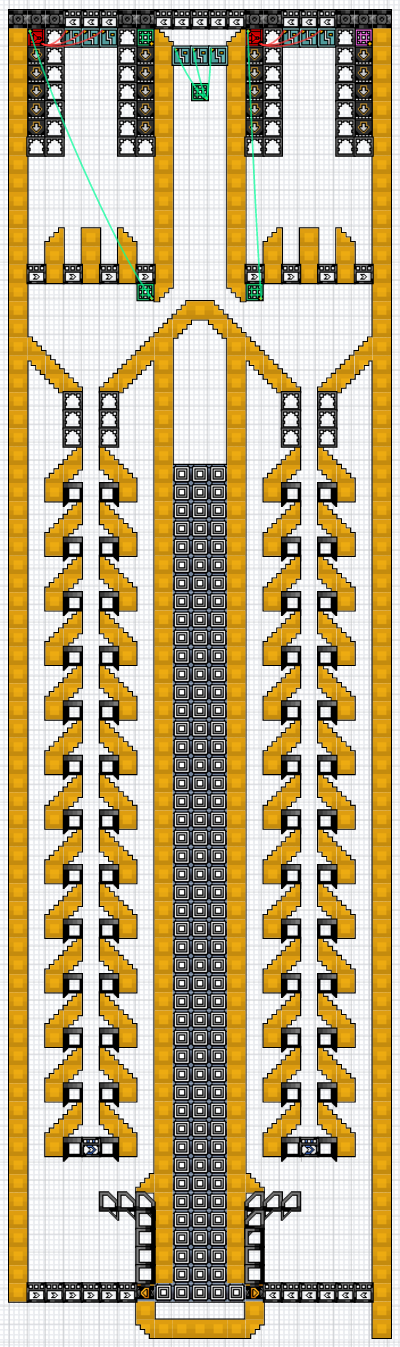
 Material Processing
 Sand Washer, Shaker, And Integrated Burner - Tileable
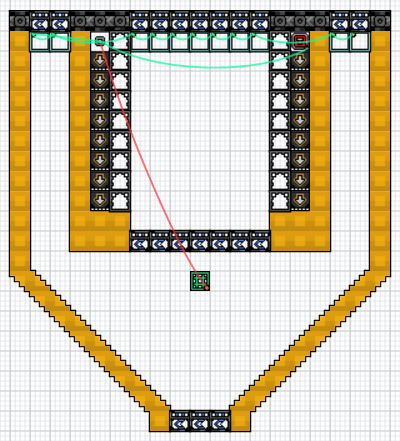
A tileable Sand washer, shaker, and integrated burner.
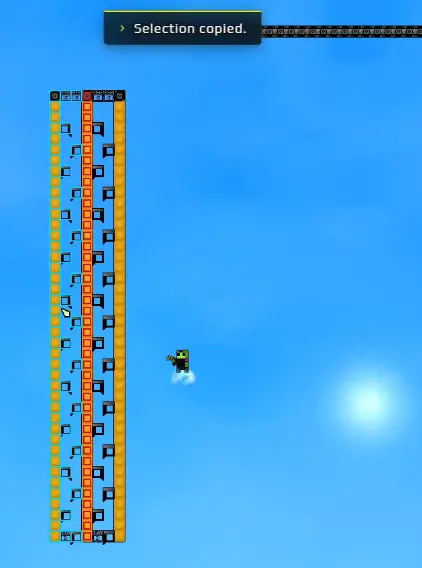
Factory planning · Blueprint mechanics
The Blueprint system allows prospectors to copy, save, export, and import modular factory units — including community-designed factory layouts shared as Blueprint strings. Follow this guide to master marquee selection, create unified blueprints combining structures and pipe networks with Alt+C (Update #4), and troubleshoot logic gate wire disconnections. Looking for community factory designs? Browse the Blueprint Hub at /blueprints/.

Interactive 2D Hub & Instant Strings
Browse community Sandustry modules in our interactive 2D canvas library. Inspect factory schematics, verify power & material balance, or copy popular community starter strings directly into your clipboard:
Quick answer
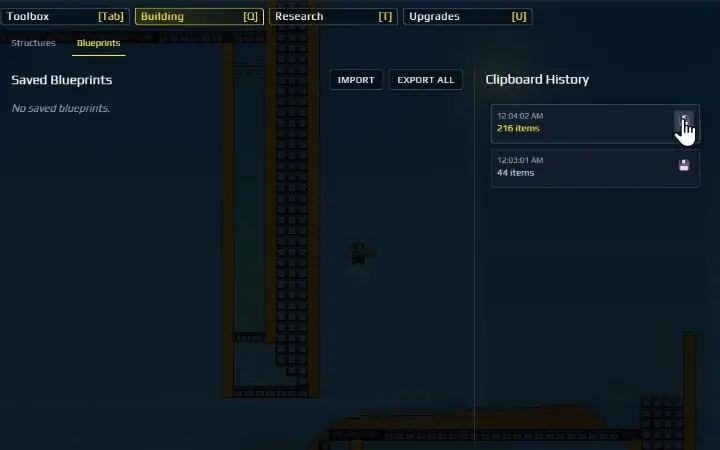
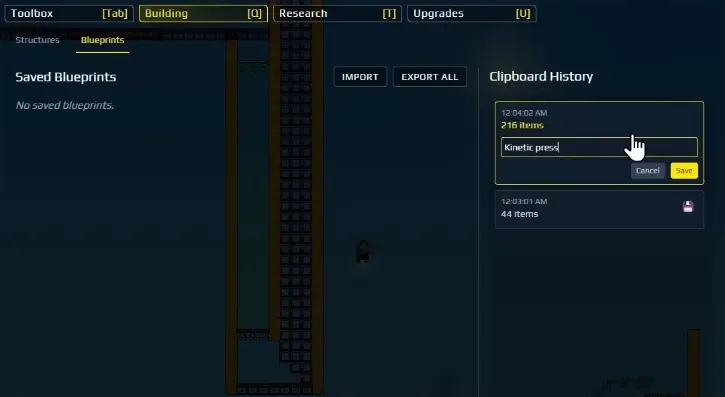
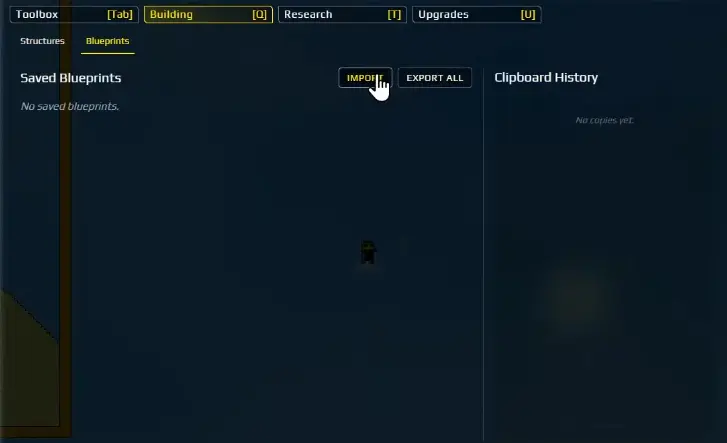
Press C and drag around structures to select them, or hold Alt+C to capture both structures and pipe networks into a unified blueprint (Update #4). Press Ctrl+C to copy, open Q → Blueprints, name the Clipboard History entry, and click Save. To import, paste the string under Q → Blueprints → Import and place it in open space first. Note that Logic Gate signal wires do not carry over upon import and must be manually reconnected.
01
A Blueprint is most useful when it preserves a route that already accepts input, processes material, and clears its output. Run the module first. A visually complete structure can still fail when its direction, Filter rule, or clearance has not been tested.
02
Players frequently share optimal setups like the Compact "Matchbox" factory (v2.5) and Magius' Megafactory (v1.1) through community blueprint sharing sites such as Sandustry Vault.
These community designs can be imported directly using their blueprint strings to instantly solve specific production bottlenecks like clearing frames or voltblub husbandry.
03
In earlier releases, pipes were excluded from marquee selection. Official Update #4 (v0.5.7) introduced the Alt+C shortcut: holding Alt+C while dragging a selection marquee selects both structures and pipe networks together, allowing you to save unified blueprints that preserve fluid connections alongside solid conveyors.
Additionally, players in Pipes Mode can now select, move, copy, and paste pipes using normal selection tools, and undo actions correctly take pipe alterations into account.
04
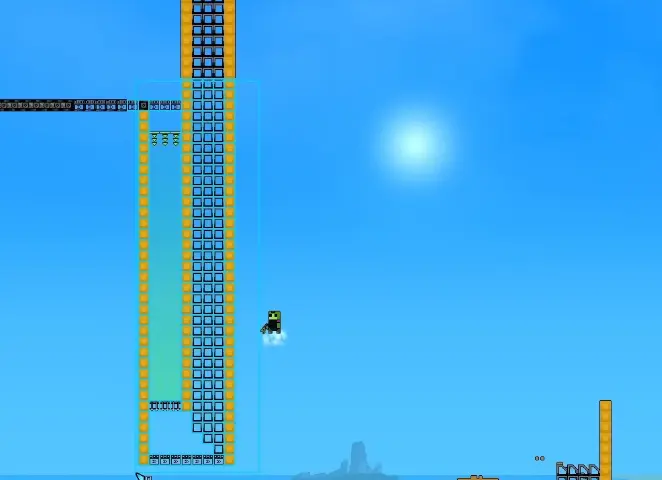
Press C (or Alt+C for unified structures and pipes) to draw a marquee box around your factory module. Use Ctrl+C to copy the selection into Clipboard History, open the Q menu, navigate to Blueprints, and save the module under an identifiable name.
05
Share a Blueprint string with its game version and a plain description of what it expects. Importing restores a layout, not the research state, materials, fluid supply, or terrain conditions that made the original factory work.
06
Place the imported module away from a live line first. Trace inputs, outputs, Filter configuration, direction, and working clearance before it reaches the main factory. This makes failure cheap to diagnose and remove.
07
A common pitfall reported by the community (u/SoldadinBR) involves automated logic gates and door circuits. When exporting and importing a blueprint, the physical logic gate blocks and doors paste into the world correctly, but the connecting signal wires do not carry over in the blueprint payload.
When stamping any blueprint that relies on logic circuits, always leave clear access lanes to inspect and manually reconnect wire routes from sensors to logic gates and terminal doors before connecting the module to live production.
| Before saving | Before sharing | After importing |
|---|---|---|
| Run the complete input-to-output loop. | Record game version (e.g. v0.5.7). | Stamp in open space away from main trunk. |
| Hold Alt+C to include pipe connections. | Describe required inputs, power, and clearance. | Verify conveyor flow, filters, and pipe bridges. |
| Check logic gate placement and sensor timing. | Note that signal wires must be rewired. | Manually reconnect wires on logic gates and doors. |
| Clear temporary test items before copying. | Do not promise cross-version guarantees. | Connect to live production only after checks pass. |
08
If an imported or copied blueprint is stamped into the wrong location, use Undo to remove the mistake immediately. In Update #4, Undo accounts for both buildings and pipe segments. The safe practice remains stamping new layouts in clear open space first.
Starter Blueprint Collection
Try these community blueprints directly in your game. Click to copy the blueprint string or open the 2D visualizer to inspect the machinery layout.
Material Processing A tileable Sand washer, shaker, and integrated burner.
 Material Processing
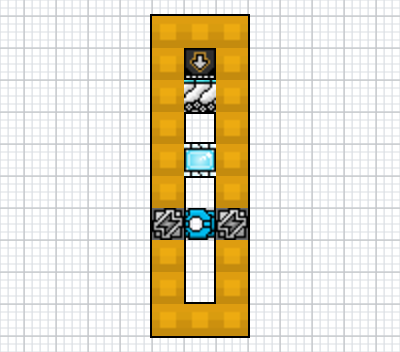
 This is a very high throughput sand washer with an automatic and manual shutoff built in.
 Power & Energy
 Questions answered
Press C and drag around a tested module (or Alt+C to include pipes in Update #4). Use Ctrl+C to copy, open Q, switch to Blueprints, name the Clipboard History entry, and click Save.
In Update #4 (v0.5.7), Lantto added the Alt+C shortcut. Holding Alt+C while dragging a selection marquee captures both structures and pipe networks into a unified Blueprint. You can also select and copy/paste pipes in Pipes Mode.
Community-designed factory layouts (also called Sandustry designs or blueprints) are shared as copy-paste Blueprint strings on sandustryvault.com and in r/SandustryGame. The Blueprint Hub at /blueprints/ on this site mirrors popular verified community designs — including Gold sorters, Steam engines, and Wet Sand processors — with 2D layout renders and building requirements. To use a design, copy its SAND:BP:v2: string and paste it under Q → Blueprints → Import in-game.
Open Q, go to Blueprints, choose Import, paste the Blueprint String, and confirm. Place the result in open space first and test it before connecting it to production.
From the Saved Blueprints list in the Q menu, select your module and click Export. Copy the generated string, specify your game version (e.g. v0.5.7), and note required inputs and clear drop zones.
Press Ctrl+H while holding a Blueprint preview to horizontally mirror it. In Update #4 (v0.5.7), the engine was patched so mirrored Conveyor Portals stay properly paired with their matched counterparts.
Community players report (u/SoldadinBR) that when importing a Blueprint containing Logic Gates or signal doors, the connecting wires do not carry over in the imported string. You must manually redraw the wire connections between logic components after pasting the layout.
Blueprints cannot directly overwrite occupied blocks. Clear the footprint first using the Demolisher tool or Marquee-select with C to delete the old section, then paste the new module.
Community players share blueprint strings on sandustryvault.com (often called the 'Sandustry Vault' or 'SandPrints'). You can copy 'SAND:BP:v2:' strings directly from sandustryvault.com and paste them into the in-game Import dialog (Q → Blueprints → Import). Our site's Blueprints Library mirrors popular verified submissions verbatim with original submitter credits.
Yes. You can select large excavated rooms and foundation footprints up to the marquee limit. However, blueprints cannot clear existing terrain or overwrite unmined blocks; excavate the subterranean vault space first with Drills or Clearing Frames, then stamp your modular foundation layout.
Check the game version, missing inputs, Filter configurations, conveyor belt directions, and whether signal wires on Logic Gates need to be manually re-established after placement.
Evidence notes
These are useful player examples, not official specifications.