
Buildings · Fluids
Pipe
Full article indexed and captured locally.
Full article
What the Wiki
currently says.
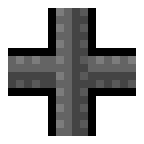
Pipes are used to connect Pumps to Liquid Vents in order to transfer liquids between them.
Pipes themselves are completely non-solid and can be placed in the same square as any other block. They will not interact with any blocks, machines or pixels (solid/liquid/gas) except for the Pump and the Liquid Vent. When a continuous Pipe is run between these two machines it will transfer Water (or other liquids) picked up by the Pump to the Liquid Vent where it will be deposited.
The only liquid that cannot be transported by pipes is lava.
Pipes can be connected to multiple Pumps and Liquid Vents at a time and the inputs and outputs will be shared throughout. If more than one type of liquid is pumped in the pipe system, it will distribute them evenly across all outputs. Use separate systems for each liquid instead.
Unlike every other player-placed item, Pipes can only be removed with the specific Pipe Remover tool which can be found under the Building tab.
When Pipes are on the same tile as another player-placed block, they will always be hidden behind that block unless you are have Pipe, Pump, Liquid Vent or Pipe Remover equipped.
Documented facts
- Description
- Used to transport Water between Pumps and Liquid Vents.
- Interactions
- Pump, Liquid Vent
- Blocks Liquid
- No
- Blocks Gas
- No
- Blocks Player
- No
Practical walkthroughs
Guides Featuring Pipe
Move Water with Pumps, Pipes, Vents & Cryogun Snow Melting.
Read field guide → Fluid logistics · NetworksDesign Pipe networks that stay predictable.
Read field guide → Factory planning · Blueprint mechanicsSandustry Blueprints Guide: Save, Import, Alt+C Unified Pipes & Wire Limitations
Read field guide →Interactive Schematics